How to get Discord webhook
Step 1
Sign up for a free account. You only need a valid email address.Step 2
Open up Discord and locate your Integrations settings. On the desktop app you can simply right-click on your Discord server icon and find the option under Server Settings. Once this tab is open, click on Webhooks and then "New Webhook.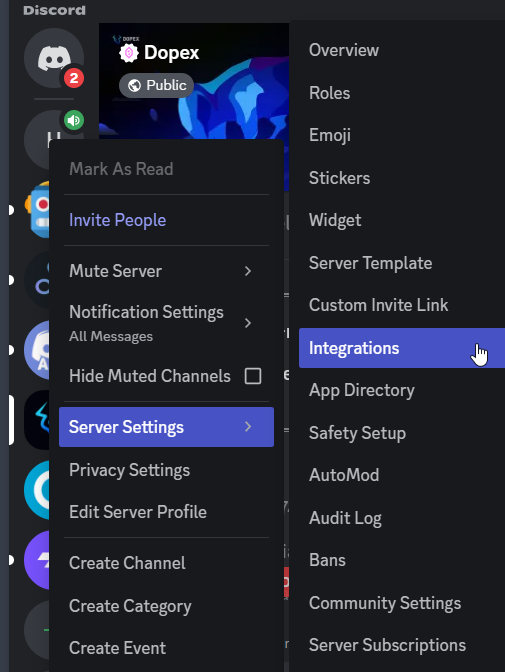
Note: If you're not the owner/administrator of the Discord server, you'll need to be granted Integration/Webhook privileges in the Roles tab.
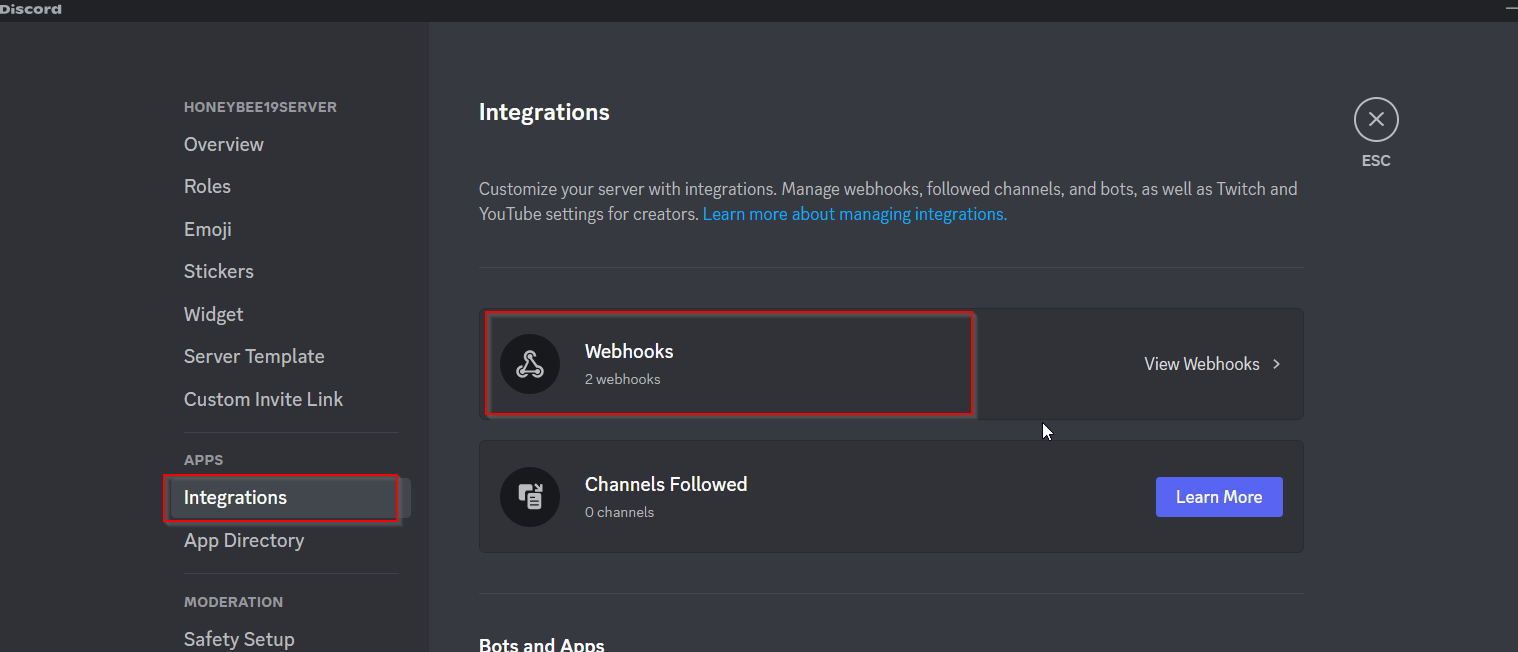
Step 3
Give your Discord Bot a name (such as "arbbot Alerting") and pick a channel for it to broadcast alerts. Once this is filled out, copy the Webhook URL and paste it under discord webhook textbox.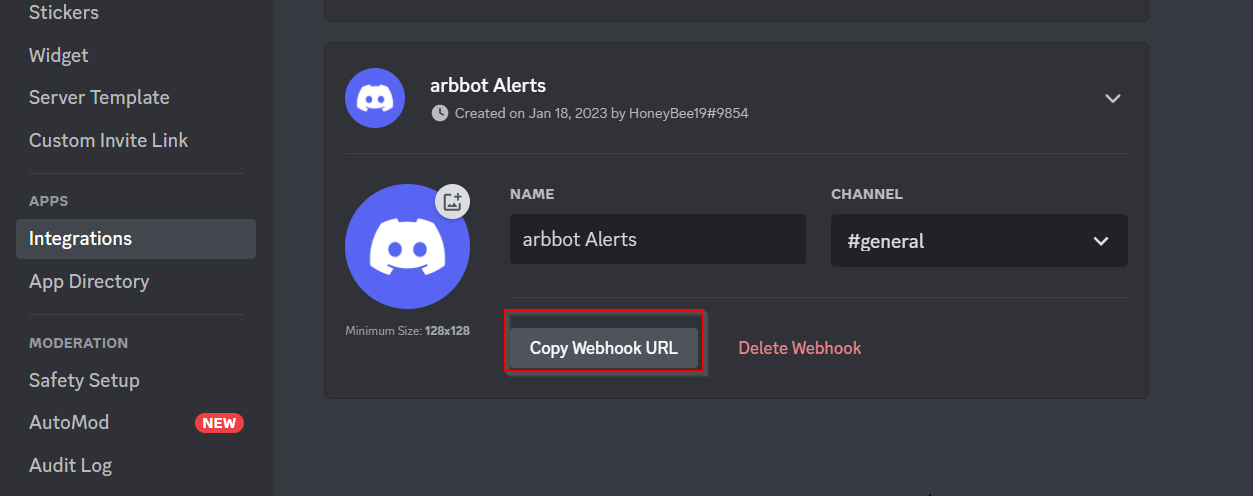
You're all set!
Now that your Discord bot has been integrated, you can begin creating arbbot alerts delivered via Discord directly to you or your group.How to get Slack webhook
Step 1
Sign up for a free account. You only need a valid email address.Step 2
Click on the link incoming webhook integration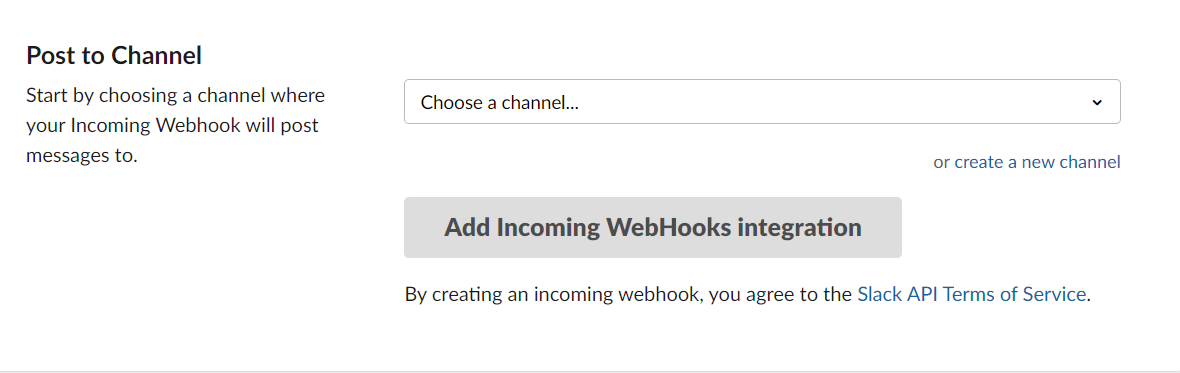
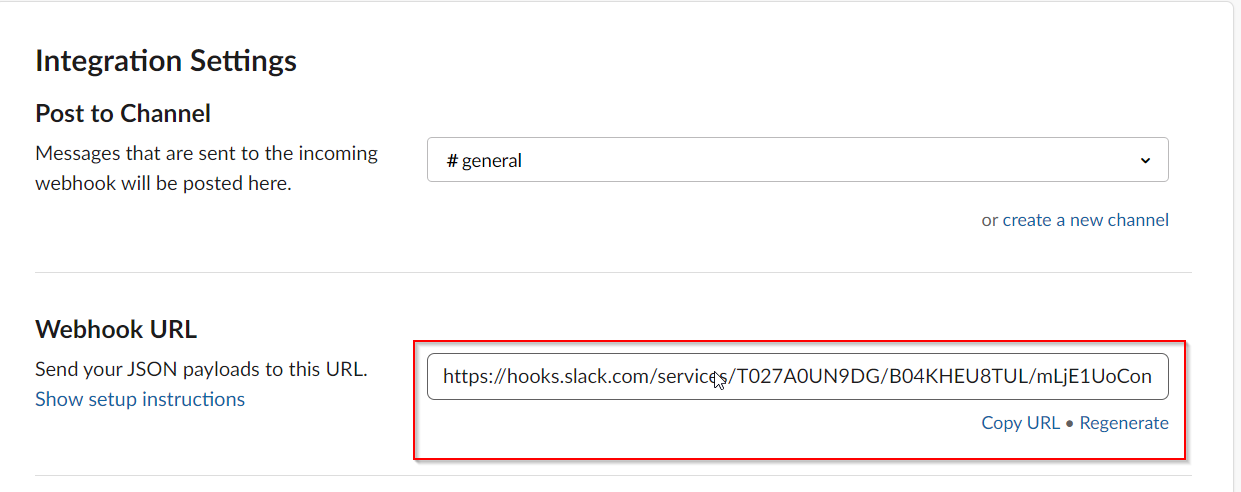
Step 3
Now go to Integration Settings click on Copy URL